For engineering managers

Stop losing 1-on-1 action items in Google Docs.

Build a structured agenda once. Run every 1-on-1 from it. Open action items carry into the next session automatically, so nothing slips.

Free forever for up to 3 reports. No credit card.


Accordia in use: building an agenda, running a 1-on-1 session, then reviewing the action items

Lighter than Lattice. More structured than a Google Doc.

How Accordia works

Build the rhythm, run the meeting, and keep every action moving.

Accordia turns 1-on-1s from scattered notes into a repeatable process with a working agenda, live session flow, and follow-through tracking.

edit_note

1. Build your template

Create a focused agenda with the perfect mix of updates, priorities, and action review before every session.

play_circle

2. Run your focused 1-on-1

Keep the conversation on track with a live session experience that captures discussion and decisions in real time.

task_alt

3. Track action follow-through

See every commitment, who owns it, and whether it’s done, so nothing drops between meetings.

What you get today.

Four things Accordia does, all of them live in the product now.

architecture

Drag-and-drop agenda builder

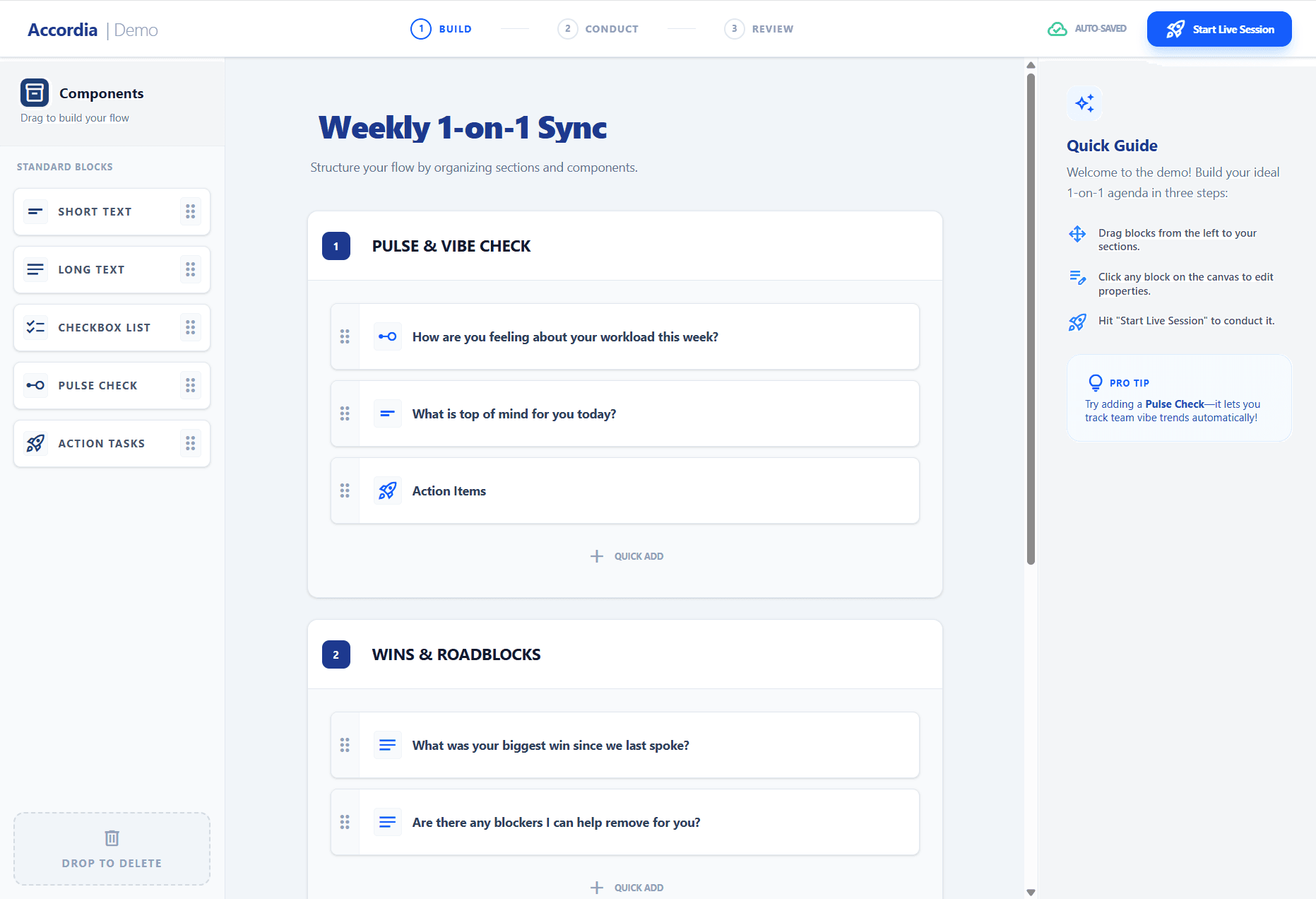
Build agendas from question blocks, like Typeform for 1-on-1s. Mix short answers, ratings, selections and action items, then reuse the template every week.

Accordia agenda builder with draggable question blocks
visibility

Distraction-free session view

Take notes and capture action items without leaving the conversation.

checklist

Shared action items

You and your report see the same list of who owns what and whether it's done.

history

Full session history

Every past session, saved with the exact agenda used that day.

What managers say

From people who ran out of patience with docs.

BM

Engineering Manager

Local Government

As an Engineering Manager, keeping track of action items across 1-on-1s without constantly hunting through separate docs is a massive headache. Accordia directly solves the context-switching problem that tools like Lattice or generic docs miss.

HY

Senior Developer

Local Government

Having had my fair share of unstructured and unorganized 1-on-1s at different companies, Accordia fixes these problems and has really smoothed out the whole process. I love being able to keep track of my action items and follow-ups in one place.

Who built this

I'm George. I built the tool I wanted my manager to use.

As a developer, I sat through years of 1-on-1s where action points got lost and we spent more time fixing the doc layout than talking about my progress. So I built the tool I wanted my manager to use.

Shipping fast. See what's next on the roadmap.

Start free. Pay when your team grows.

No credit card needed to start.

Free

$0forever

Enough to run real 1-on-1s with a small team.

  • check_circle1 manager
  • check_circleUp to 3 reports
  • check_circle3 templates
  • check_circleUnlimited sessions

Manager Pro

$29/month

For managers with a bigger team.

  • check_circleUp to 10 reports included
  • add_circle$2/month per extra report
  • check_circleUnlimited templates

Running a team of managers? See Team and Enterprise plans.

Free tools

Get something useful before you sign up.

Free, no sign-up

Need a 1-on-1 agenda for tomorrow?

Start from a template or a blank page, drag questions into place, and export a PDF in minutes.

Build a free agenda

Free 2-minute quiz

Not sure where your 1-on-1s stand?

Answer a few questions to see your 1-on-1 style and where a little structure would help most.

Take the Health Check

Frequently asked questions

Common questions from engineering managers.

Who can see my 1-on-1 notes, and where is my data stored?expand_more
Only the two people in a 1-on-1 can see its notes and action items, plus the report's own manager. This is enforced in the database with row-level security, not just in the app. Data is hosted on Supabase (PostgreSQL) and Vercel, encrypted in transit with TLS and at rest with AES-256. The security page has the full details. Read the security page.
How does data sharing between manager and report actually work?expand_more
Both people see the same session summary and the same list of action items. Each person sees only what belongs to their role, and any change to an action item shows up on both sides.
Does it work with my calendar, Slack, Linear or Jira?expand_more
Calendar is covered: when you book your next 1-on-1, you and your report can add it to Google Calendar, Outlook or Apple Calendar. Email and Slack notifications are planned next, and Linear and Jira after that. The roadmap page has the current order.
Can I import existing 1-on-1 notes from Notion / Google Docs?expand_more
Not yet. Most managers start fresh with a template in under two minutes. Import from Notion and Google Docs is on the roadmap.
What happens to my data if I downgrade or cancel?expand_more
Your session notes and action items stay available in read-only mode. You can export them at any time, and we keep data according to our privacy policy unless you ask us to delete it.

Stop losing 1-on-1 action items.

Set up your first structured 1-on-1 in under two minutes.

Free forever for up to 3 reports. No credit card.